64 Labs Dashboard
GetResponse Moved the Starting Line. We’re Doing the Same for Campaigns.
Create Campaign instances directly from the editor, choose apps alphabetically, and provide required context—making multi-app setup faster while each instance keeps its own progress.

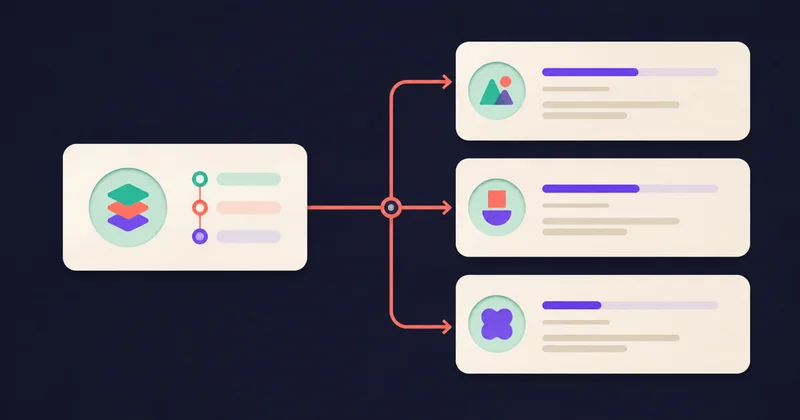
GetResponse’s latest workflow shortcut caught my attention: sometimes the most useful improvement is moving the starting line.
On August 26, GetResponse announced that users can start an automation workflow directly from a contact segment. It is a small change with a familiar logic: once someone has chosen what they want to work with, let them act there.
That same idea sits behind a recent update to 64 Labs Mission Control. If you manage reusable Campaigns across several apps, you can now create an instance directly from the Campaign editor.
Start with the Campaign you already chose
Previously, creating an instance meant starting inside an individual app and choosing the Campaign there. That made sense when working on one app. When preparing the same Campaign for several apps, it added a repeated detour: find the app, find the Campaign, then do it again.
Now, open the Campaign editor, choose Create instance, and pick the app from an alphabetical list. When the Campaign requires context, the creation flow collects those answers for that instance. The empty state also gives you a clearer Create instance action, so a Campaign with no instances has an obvious next step.
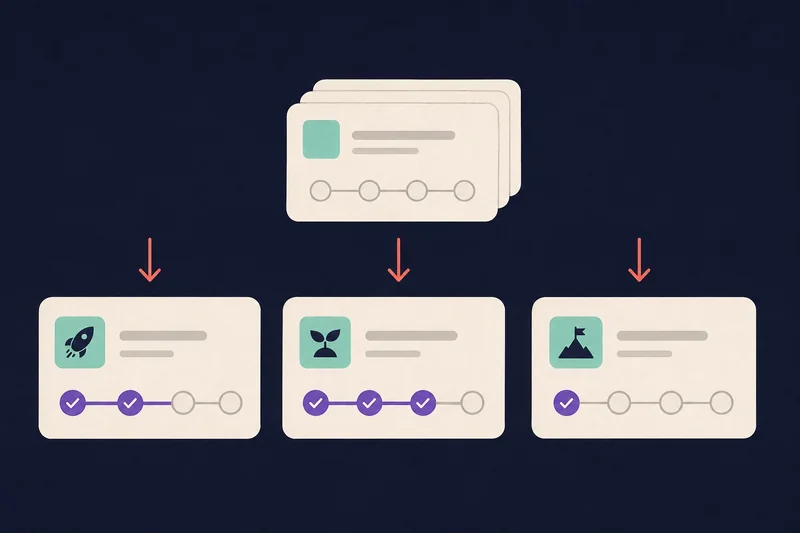
Reuse the Campaign. Keep each run independent.
Imagine using the same launch Campaign for three apps. Create an instance for the first, provide its required context, then repeat for the others. Each instance keeps its own answers and progress. Completing work in one does not complete it in another—even when two instances belong to the same app.
The Campaign definition remains shared; independence applies to each instance’s context and execution. This is individual creation for each selected app, rather than a bulk launch.
For me, the useful outcome is straightforward: faster multi-app campaign setup, with fewer navigation detours and every instance still independent. Next time you are preparing a Campaign across your portfolio, start in its editor.